
Why a Christmas illustration does not automatically include a slogan
“A festive beehive with string lights” describes an illustration. It does not ask for words in the image. Choosing English does not specify the wording either. If lettering should carry the design, put the exact phrase and its role in the layout directly in the design idea.
Check Additional requests as well. Instructions such as “no text”, “no lettering” or “no wording” contradict a request for a slogan. Remove them completely. “No extra words” is appropriate once you have clearly specified the text you do want.
A worked brief for a beekeeping design
This example places the lettering first. It is a design brief, not an image that has already been generated or verified.
Christmas · Beekeeping
Design ideaCreate a T-shirt graphic with the exact slogan "BUZZING FOR CHRISTMAS". Make the lettering the main focus. Place BUZZING above FOR CHRISTMAS. Add one small bee carrying a festive light beneath the words.
Additional requestsUse bold, clearly separated letters in cream and honey gold, with small evergreen accents. Keep the bee secondary. Transparent background. No shirt mockup, no extra words, no logos.
The brief gives you four concrete things to check: wording, line breaks, the balance between lettering and illustration, and colour contrast. If the result feels cluttered, reduce the decoration before adding more style descriptions.
Give the lettering enough room
A short slogan allows larger letters. Longer sentences need more careful line breaks and spacing. Start without elaborate script fonts, extremely thin strokes or illustrations covering letters. A bee between two words is easier to evaluate than a bee that also has to replace a letter.
Inspect the overall silhouette at a small size. If you notice the illustration first and have to search for the words, the hierarchy does not match a lettering-led shirt. Dark letters need a sufficiently light contrast on dark fabric; transparent areas will take on the garment colour.
Check every word before downloading
- Compare the image with the requested phrase. Look for missing and repeated letters.
- Inspect apostrophes, punctuation, accented characters and spacing at a large size.
- View the design at the intended print size. Correctly spelled words can still be too small or elaborate to read.
- Check for tiny extra text, random characters and cropped lines around the edges.
If the text repeatedly comes out wrong, generate only the illustration and add the lettering in a graphics editor. This gives you control over spelling, line breaks and spacing. Use a font licensed for your intended use. A higher generation quality setting alone does not guarantee accurate lettering.
For a batch, include the complete text instruction in every CSV row. The CSV design series guide explains how to preserve quotation marks.
Learn from an actual CSV test
In a Christmas batch, the stored design ideas never specified slogans; several CSV rows also prohibited text. The full case shows the original beekeeping row, the recorded status values and a corrected test file.
Design examples
Three designs, three creative decisions
These AI images were created specifically for this guide, outside the Neural Design Lab generator. They illustrate possible designs, not guaranteed generator results or verified print files.
 Click the image to enlarge
01 · Reading · Wordplay
Booked for the Holidays
Booked can mean having plans, while the stack of books suggests how those holidays will be spent. The phrase feels natural in English and is specific to readers.
View the design brief
Create a Christmas shirt graphic with the exact phrase “BOOKED FOR THE HOLIDAYS” in two lines. Use bold vintage lettering, a small stack of books with blank spines and a warm mug. Cranberry, cream and gold with dark plum outlines. Transparent background, no extra words, no garment mockup.
What to check in this result
The illustration sits between the two text lines. Blank book spines keep extra lettering out of the composition. The fine gold lines and steam are delicate: check whether they survive at your intended print size.
 Click the image to enlarge
02 · Hiking · Group identity
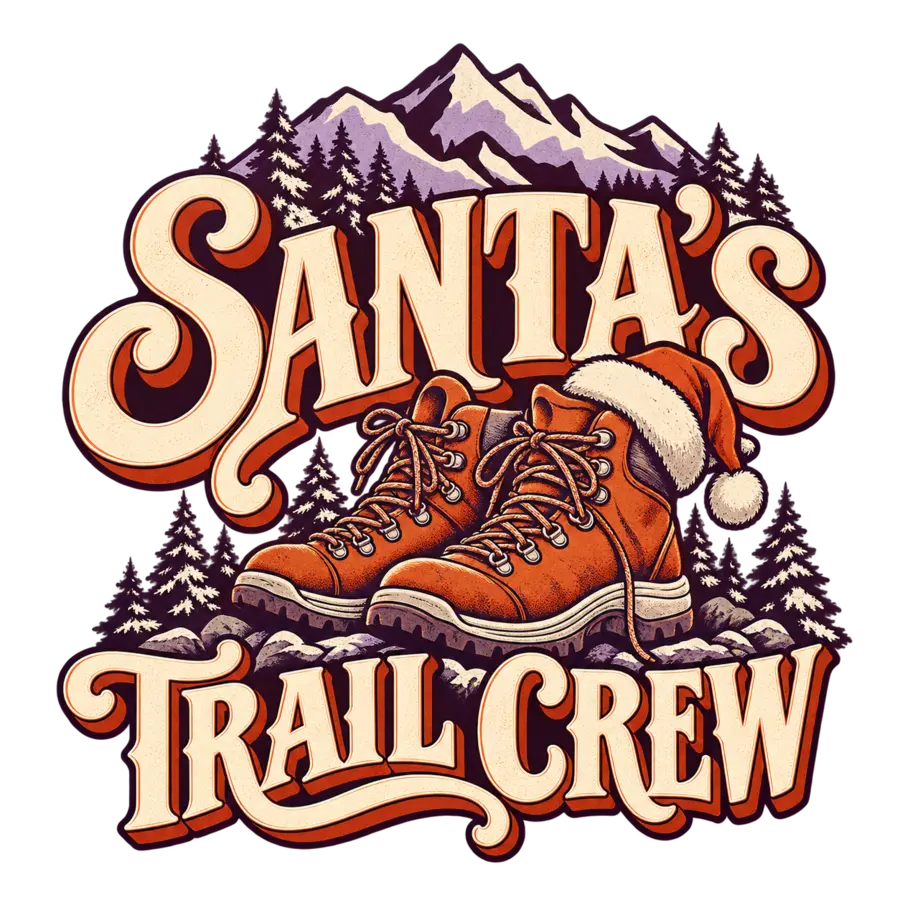
Santa’s Trail Crew
Trail crew gives the design the feeling of a hiking group. Santa’s makes it seasonal without turning it into a generic Christmas greeting.
View the design brief
Create a Christmas hiking shirt graphic with the exact phrase “SANTA'S TRAIL CREW”. Use bold retro lettering, hiking boots with a small Santa hat, pine trees and a mountain silhouette. Rust orange, cream and muted lavender with dark plum outlines. Transparent background, no extra words or logos.
What to check in this result
The boots and mountains make the niche readable immediately. SANTA’S is the dominant word, while TRAIL CREW completes the idea below. Inspect the apostrophe and the fine laces; the dense landscape may need simplifying for a small print.
 Click the image to enlarge
03 · Cat lovers · Winter evenings
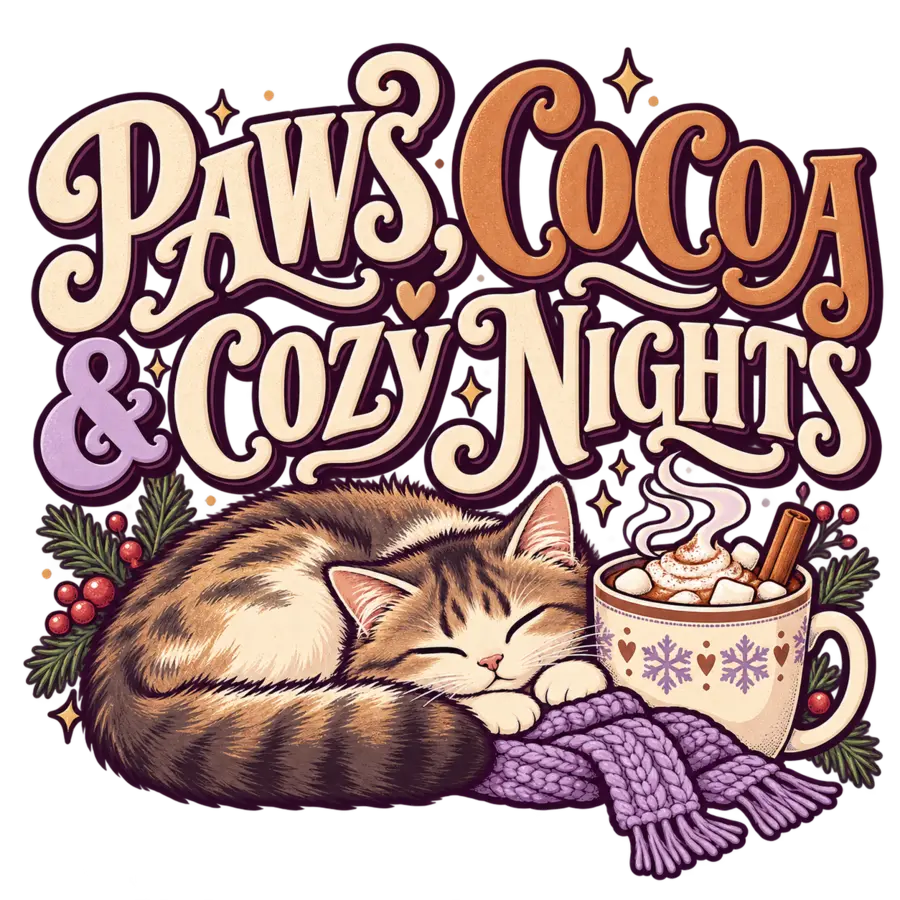
Paws, Cocoa & Cozy Nights
A short list of three comforts rather than a forced pun. The cat and mug explain paws and cocoa, while the scarf reinforces the cozy winter mood.
View the design brief
Create a cozy winter shirt graphic with the exact phrase “PAWS, COCOA & COZY NIGHTS”. Arrange the text in two clearly readable lines above a sleepy curled cat, a cocoa mug and a knitted scarf. Cream, cinnamon and lavender with dark plum outlines. Transparent background, no extra words, no garment mockup.
What to check in this result
The lettering fills the upper half; the curled cat anchors the lower half. The comma and ampersand matter to the rhythm. Fur, whiskers and the scarf texture contain fine details that should be checked against both light and dark backgrounds.
The background colour only changes the preview. These WebP files are reduced for the website; they are not production files for garment printing.